RCC
Contents
RCC#
My RDD#
Q5705
UQ’s Research Computing Centre#
The Research Computing Centre (RCC) provides coordinated management and support of The University of Queensland’s sustained and substantial investment in eResearch. The RCC helps UQ researchers across disciplines make the most of the University’s eResearch technologies, such as High Performance Computing (HPC), data storage, data management, visualisation, workflow and videoconferencing.
Specifically for the MME, the RCC coordinates access and support for 3 HPCs and the Research Data Manager (RDM).
Create a new record on Research Data Manager (RDM)#
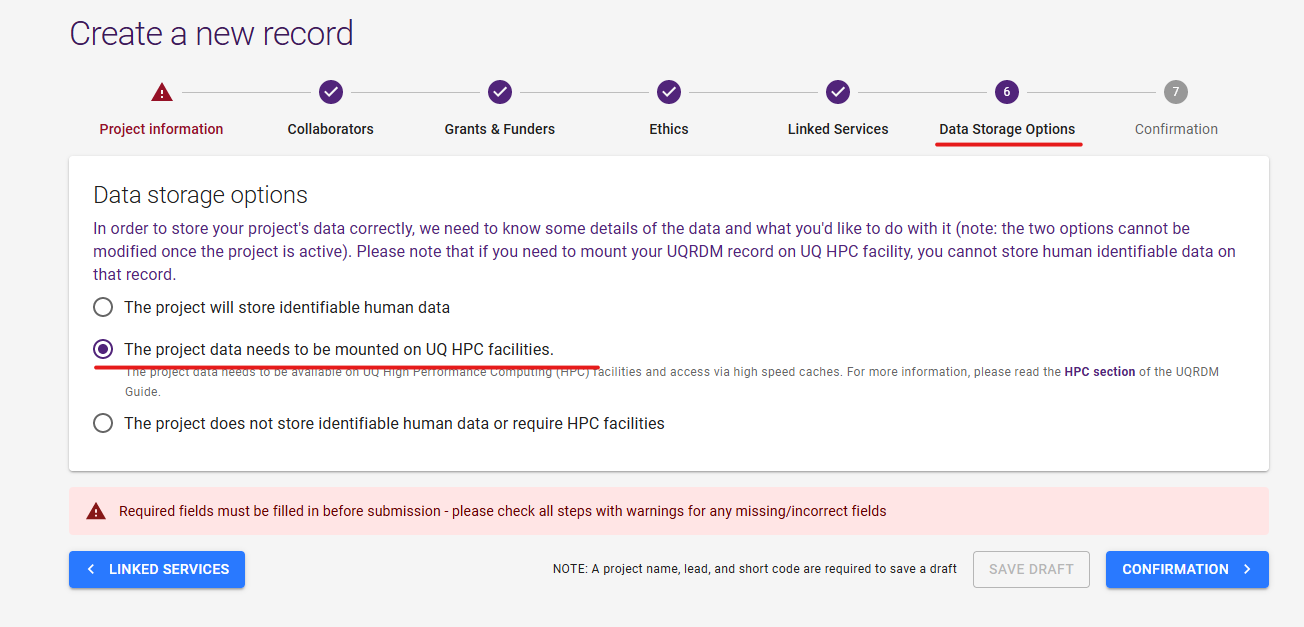
Go to RDM Page and create a new record.
When you want to use data on Tinaroo, check out this option.
Bunya#
See Bunya user guide
bash:
1ssh bunya.rcc.uq.edu.au
2module avail
3module load anaconda3
4conda env list
5source activate tools
SLURM#
See Slurm user guide
bash:
1srun --pty /bin/bash #interactive
2sbatch
3scancel
4squeue
5sinfo
Wiener#
See User guide and here
bash:
1ssh wiener.hpc.dc.uq.edu.au
2module avail
3module load anaconda3
4conda env list
5source activate tools
Tinaroo (OLD)#
The Tinaroo cluster is a major increase in capability for UQ.
See the Document.
Go here and fill up the form.
A cool bit of code:
1conda create -n tools python=3
2source activate tools
3
4conda install -c bioconda cutesv
5conda install -c bioconda vg
6conda install -c bioconda minigraph
7conda install -c bioconda samtools
8conda install -c bioconda tabix
9conda install -c bioconda snakemake
PBSPro is the batch system used on Awoonga, FlashLite and Tinaroo.
bash:
1qsub helloworld.pbs
2qstat -aw1n
3qdel <JOB-ID>
4qstat -f <JOB-ID>
This a sample PBS, helloworld.pbs file.
bash:
 1#!/bin/bash
 2#
 3#PBS -l select=1:ncpus=1:mem=1GB
 4#PBS -l walltime=01:00:00
 5#PBS -A UQ-QAAFI
 6#PBS -N helloworld
 7#
 8
 9source activate tools
10echo $HOSTNAME
Important
Resource requirements
Set cpu, mem, walltime carefully
Tips#
A cool bit of code:
1sudo vi /etc/docker/daemon.json
2add "data-root":"/home/brendan/workspace/docker"
3sudo service docker restart